

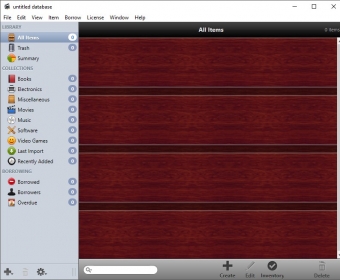
When the program first launches, a clean database will be automatically created and displayed. Begin adding items by making a selection from the "New..." menu item under the File menu. Enter the item details as desired, and close the window to be prompted if the changes should be kept and applied to your database.








Comments (1)
Crashes multiple times in an hour, bar code reader doesn't work, I don't mean it's unreliable, it doesn't work. I scanned 40 items and none worked. Asked for support 3 times, no reply to any request, so instead of working out the problems that I was more than willing to do, they just abandon you.
Don't buy it, it feels to me that it's beta software.